Table of Contents
ToggleHardwired under cabinet lighting transforms a kitchen or workspace faster than almost any other single upgrade. Unlike plug-in options, hardwired ultra thin LED strips integrate seamlessly into your cabinetry, creating a clean look while eliminating dangling cords and nightlight-quality brightness. This guide walks you through choosing the right system, gathering materials, and completing the installation, whether you’re wiring into an existing circuit or running new lines from your panel. We’ll cover what makes hardwired superior to battery or plug-in alternatives, help you select the right fixture type, and ensure your installation passes inspection while delivering reliable task and ambient lighting for years.
Key Takeaways
- Hardwired under cabinet lighting eliminates batteries, cords, and dimming issues while delivering 1,000+ lumens and integrating seamlessly with smart dimmers and home resale value.
- Ultra thin hardwired systems come in three main types: rigid aluminum profiles, recessed linear fixtures, and direct-bonded LED tape with diffuser channels, each optimizing for brightness, aesthetics, or space.
- Proper LED specifications require checking voltage (12V or 24V), brightness (300–500+ lumens per foot), color temperature (2700K for dining, 4000K for task work), and CRI ratings above 90 for natural-looking food and countertops.
- Installation requires running cable from your electrical panel through conduit, connecting power supplies in junction boxes, and passing inspection—critical steps that justify hiring a licensed electrician for safety and code compliance.
- Strategic placement 6–12 inches back from cabinet edges with dimmable controls and layered lighting (overhead plus task) creates professional, flexible illumination while running spare conduit allows future upgrades without wall damage.
Why Choose Hardwired Under Cabinet Lighting
Hardwired under cabinet lighting beats plug-in and battery alternatives in three critical ways: reliability, brightness, and professional integration.
When you hardwire, you eliminate batteries that die at inconvenient moments and avoid extension cords that create tripping hazards and visual clutter. A properly hardwired system draws consistent power from your home’s electrical panel, so brightness never dims due to battery drain. The light output from hardwired 12V or 24V LED strips is significantly higher than battery equivalents, you’re looking at 1,000+ lumens for entire runs, not a faint glow.
Hardwired also allows dimmer integration. Want to dial brightness down for ambiance or crank it up for food prep? Hardwired systems pair with standard dimmer switches or smart controllers, whereas most battery lights offer no dimming at all. From a resale perspective, hardwired lighting is permanent infrastructure, it stays with the house and adds tangible value, unlike removable adhesive strips that renters might take when they move.
The downside is upfront effort. Hardwiring requires running electrical cable, possibly upgrading your circuit, and either a licensed electrician or solid DIY electrical knowledge plus a permit. If your kitchen is fully finished, routing cable might mean drilling through walls or running conduit along the backsplash. That said, the payoff, professional appearance, superior light output, and permanent reliability, justifies the work for most homeowners.
Types Of Ultra Thin Hardwired Under Cabinet Lights
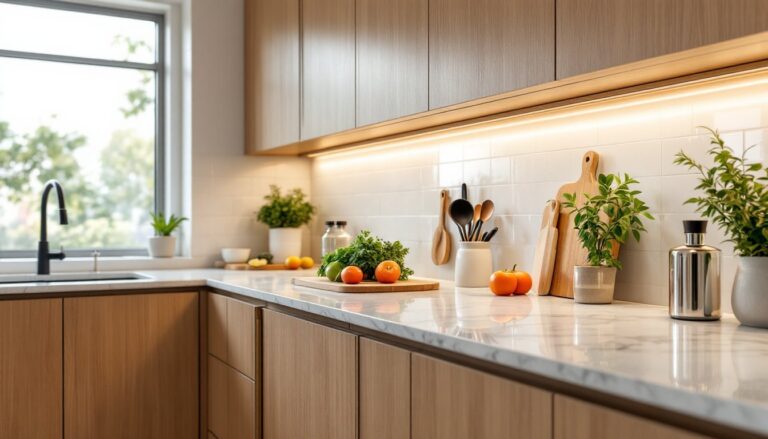
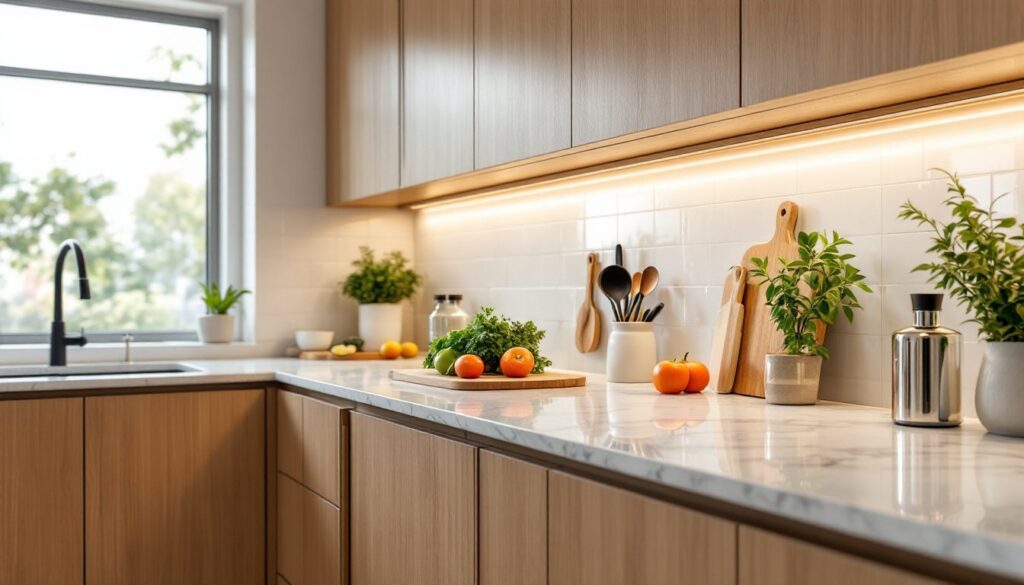
Under cabinet hardwired systems come in a handful of proven configurations. The most popular are rigid aluminum profiles with integrated LED strips, profile widths typically ranging from 0.5″ to 1.5″ when mounted. These channels house the LEDs, act as a heatsink, and create a finished look without exposed wiring.
Another option is recessed linear fixtures, thin bars that mount flush into a routed pocket under the cabinet lip. These sit nearly invisible until switched on, ideal for minimalist aesthetics. Both come in warm white (2700K), neutral (4000K), and cool white (5000K) color temperatures.
A third type uses ultra-thin LED tape (sometimes called strip lights) bonded directly to the cabinet underside, then covered with an aluminum diffuser channel. This approach saves the most vertical clearance, critical if your counter sits close to the cabinet bottom.
LED Strip Options And Specifications
Standard specifications for hardwired strips include 12V or 24V DC power, SMD 5050 or SMD 3528 LEDs (the latter being smaller and more flexible), and brightness rated in lumens per foot. Most quality strips output 300–500 lumens per foot, though premium strips exceed 600.
Watts-per-foot tells you heat and power draw: expect 4–8 watts per foot depending on brightness. Color rendering index (CRI) matters too, look for 90 CRI or higher so food and countertops look natural under the light, not sickly green or yellow.
When specifying, confirm the strip’s mounting base (adhesive-backed, screw-mounted, or both), whether it’s dimmable-compatible, and if the power supply is internal or external. External power supplies sit elsewhere (in a cabinet, behind an appliance): internal supplies integrate into the fixture itself. External setups run cleaner but add a hidden box to hide. Internal supplies simplify routing but must fit where the fixture mounts.
Recessed fixtures and aluminum profile systems usually come pre-wired and spec’d as complete units. Tape strips require separate power supplies, dimmers, and junction boxes, giving more customization but more planning.
Essential Tools And Materials You’ll Need
Materials:
- Hardwired ultra-thin LED strip or profile system (measure your cabinet run first: strips typically sell in 3ft, 5ft, or 10ft lengths)
- 12V or 24V DC power supply rated for total strip wattage (e.g., 96W for 20 feet of 4.8W/ft tape)
- 14 AWG or 12 AWG electrical cable (if running new circuit: verify local code requirements)
- Wire nuts, solder-less connectors, or terminal blocks (for connecting strips to power supply)
- Aluminum diffuser channels (if using bare tape: frosted or clear covers)
- Conduit (if running surface-mounted or if code requires protection)
- Mounting hardware: screws, adhesive strips, or brackets depending on system type
- Electrical junction boxes (required by code where connections occur)
Tools:
- Drill with bits (for mounting and routing)
- Measuring tape and level
- Needle-nose pliers and wire strippers
- Screwdriver (Phillips and flathead)
- Drywall saw or Dremel (if routing a cavity into the cabinet underside)
- Flashlight or headlamp
- Wire tester or multimeter (to verify power before wiring)
- Safety gear: goggles, work gloves, and a dust mask (especially if drilling or cutting into existing cabinets)
Optional but recommended:
- Dimmer switch or smart controller
- Labels and electrical tape for marking connections
- Small fish tape if pulling wire through existing walls
Step-By-Step Installation Process
Before starting, turn off power to the circuit you’ll use and test it with a non-contact voltage tester to confirm it’s dead.
-
Measure and plan your layout. Run a measuring tape under each cabinet, marking where strips will mount and where the power supply will hide. Account for obstacles (corners, pipes, or existing wiring). Most layouts run one continuous strip per cabinet or split long runs into two to avoid voltage drop at the far end.
-
Prepare cabinet surfaces. Clean the underside thoroughly with a damp cloth and let it dry completely. Dust, grease, or moisture prevents adhesive strips from bonding and can short electronics over time. If using screw-mounted profiles, pre-drill holes slightly undersized to prevent the wood from splitting: use pilot holes.
-
Route or install the power supply. If your power supply is external, mount it inside an adjacent cabinet, behind the refrigerator, or in a utility closet. If internal, position it where it fits and won’t get pinched or wet. Run cable from the supply location to where your strips will mount, using conduit or routing it behind existing trim to hide it.
-
Mount the LED strips or profiles. Peel backing and press the strip firmly, working from one end to the other to avoid air bubbles. For profiles, screw them at 16″ intervals into studs or blocking. Ensure the strip sits flat and level: any gaps allow dust to accumulate behind it and reduce adhesion over time.
-
Make electrical connections (see Wiring section below).
-
Test before finishing. Turn power back on and verify all strips light up evenly. Adjust brightness if you’ve installed a dimmer. Run for 15 minutes to confirm no overheating or flickering.
-
Conceal wiring. Run cable behind cabinets, under trim, or in conduit. Label any exposed connections. Install diffuser covers if using bare tape strips.
Wiring And Electrical Connections
Hardwired under cabinet systems must connect to your home’s electrical panel, either by adding a new dedicated circuit or tapping into an existing one. The existing circuit approach works only if you have spare capacity (your current load is less than 80% of the breaker rating) and the circuit currently feeds low-draw devices like your range hood or dishwasher.
Most kitchens use a 20-amp circuit, which can safely handle about 16 amps of load. A typical ultra-thin LED system drawing 40–80 watts uses less than 1 amp at 12V, so spare capacity often exists. If in doubt, run a new circuit from the panel. This requires routing cable through the wall, securing it with staples every 16″, and running it to a new breaker. This is where a licensed electrician earns their fee, electrical panel work carries real shock and fire hazards.
Once power reaches your installation area via romex, staple conduit or use existing conduit (every 16″) to protect the cable. Your power supply sits in a junction box mounted to the cabinet or wall. Strip about 6″ of jacket from the incoming cable and clamp it into the box. Twist the black (hot) and white (neutral) wires to the power supply’s terminals, secure them with wire nuts, and cap the unused ground screw with a wire nut or leave it bonded to the box.
From the power supply to your LED strips, run the low-voltage wires (usually 18 AWG) in a neat path. Many strips have terminal blocks, screw the positive and negative wires in and you’re done. If strips are daisy-chained (linked end-to-end), make sure the polarity is correct: red to positive, black to negative. Reverse polarity won’t damage the LEDs, but they simply won’t light.
If adding a dimmer or smart controller, install it at the wall switch location in a standard box, then run low-voltage control wiring to the power supply or a controller module. Controllers vary widely, so follow the manufacturer’s diagram precisely. Always cap unused wires with wire nuts, even if they’re low-voltage, to prevent accidental contact.
Call for inspection before covering any wiring. Most jurisdictions require a licensed electrician to certify hardwired work, or a building inspector to approve DIY installs. Skipping this voids insurance and creates liability if there’s a fire.
Design And Lighting Layout Tips
Color temperature shapes mood and function. Warm white (2700K) over a kitchen island or breakfast bar feels cozy for dining. Neutral (4000K) over work zones (prep counter, sink) delivers the clarity you need for chopping and cleaning. Cool white (5000K) is rarely needed in kitchens and can feel clinical: reserve it for task-specific work areas like a craft table or garage counter.
Placement matters. Mount strips 6–12 inches back from the cabinet front edge (toward the wall) so light spreads across the counter rather than creating a hot spot. Strips directly at the lip cast harsh shadows on your hands and workspace. If your counter is narrow, 6 inches is plenty: if you have a 24″ deep counter, position strips closer to 12″ back.
Spacing between segments. If you’re running multiple cabinet sections, aim for continuous runs rather than breaking and starting again, continuous light feels more polished. Where you must break (around a doorway or for a seam), gap strips by no more than 1–2 inches and match the same product and brightness so the visual difference isn’t jarring.
Research from expert reviews of under-cabinet lighting shows most homeowners prefer systems with dimmable capability, even if they don’t use it daily. Build dimmer capability into your design from the start, it’s cheaper to wire during installation than retrofit later. Smart dimming via phone or voice control is increasingly affordable: if you’re already running new electrical, the cost to add a controller is minimal.
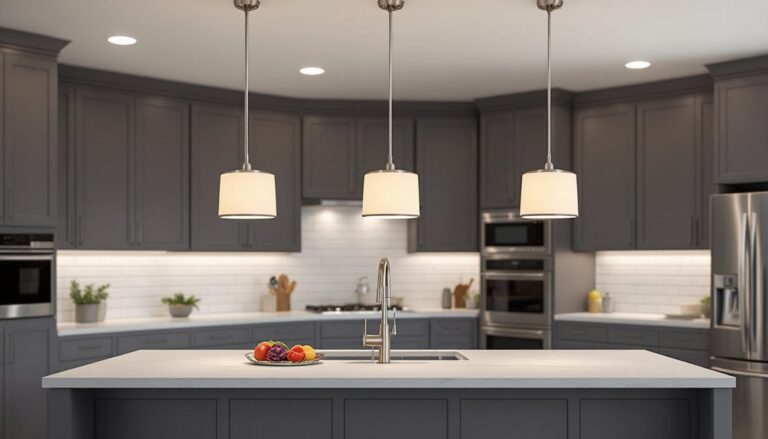
Layering prevents monotony. Don’t rely on under-cabinet lighting alone. Pair it with overhead ambient lighting (a fixture or recessed lights) and a task light over the sink or island. Together, they create flexibility, bright and energetic for cooking, dimmed and warm for evening relaxation.
Allow for future upgrades. Run spare conduit or an extra cable run during installation so you can add strips to a second row of cabinets or wire a future dimmer controller without tearing into the wall again. It costs almost nothing upfront and saves thousands if you decide to expand later.